Features
Everything between the phone call and the payment
One system for the office and the crew: the web dashboard for you, a phone app for your technicians, and a clean invoice page for the homeowner.
For the office
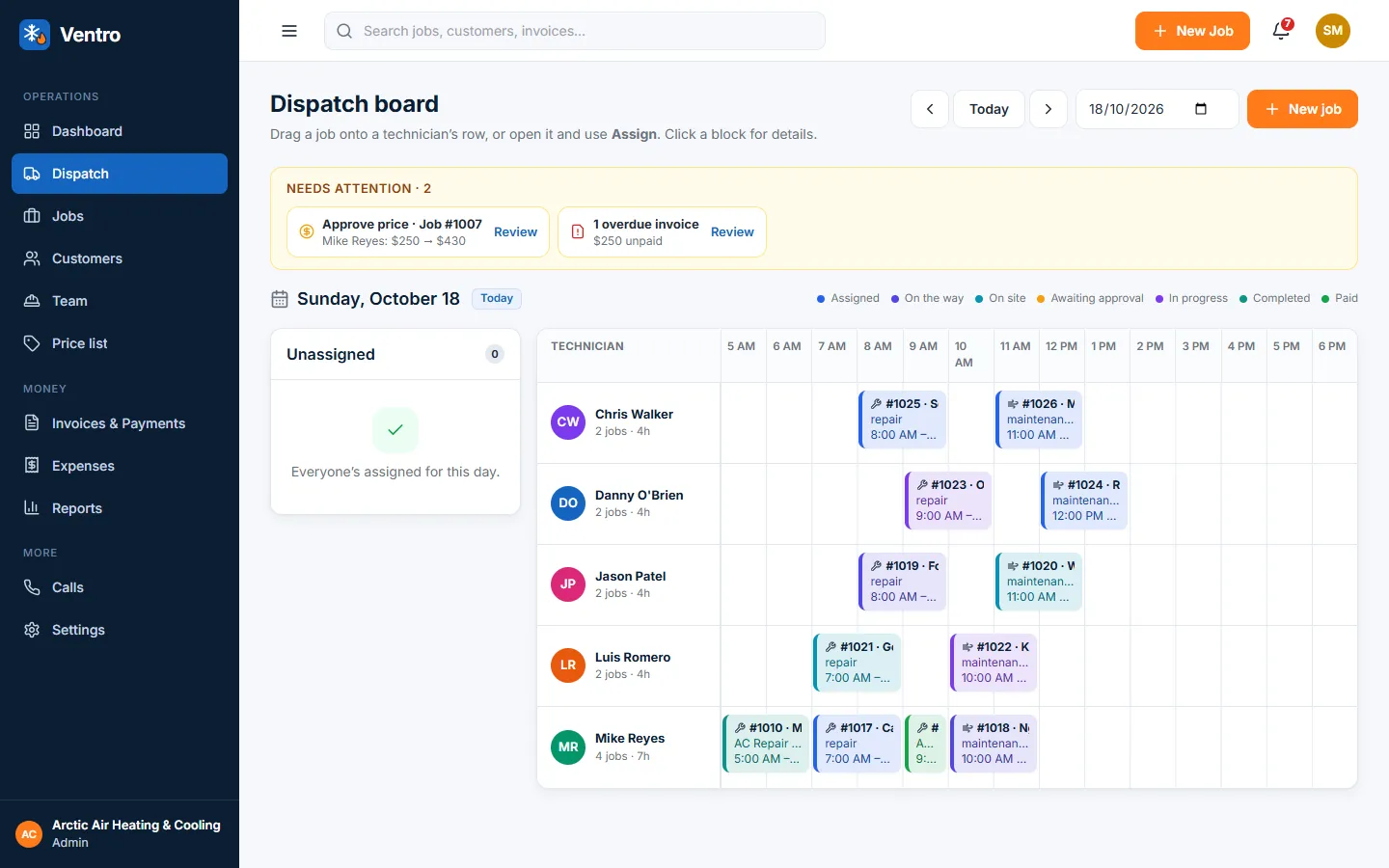
See the whole day on one board
Every technician, every job, one screen. Drag a job onto a person, see who is free, and know what needs you before the phone rings.
- Dispatch board with a row per technician and colours for every status
- Needs attention: price approvals, unassigned jobs, overdue invoices
- Install jobs with several visits over several days
- Live: it updates when a technician moves a job on their phone
For the technician
One big button at a time
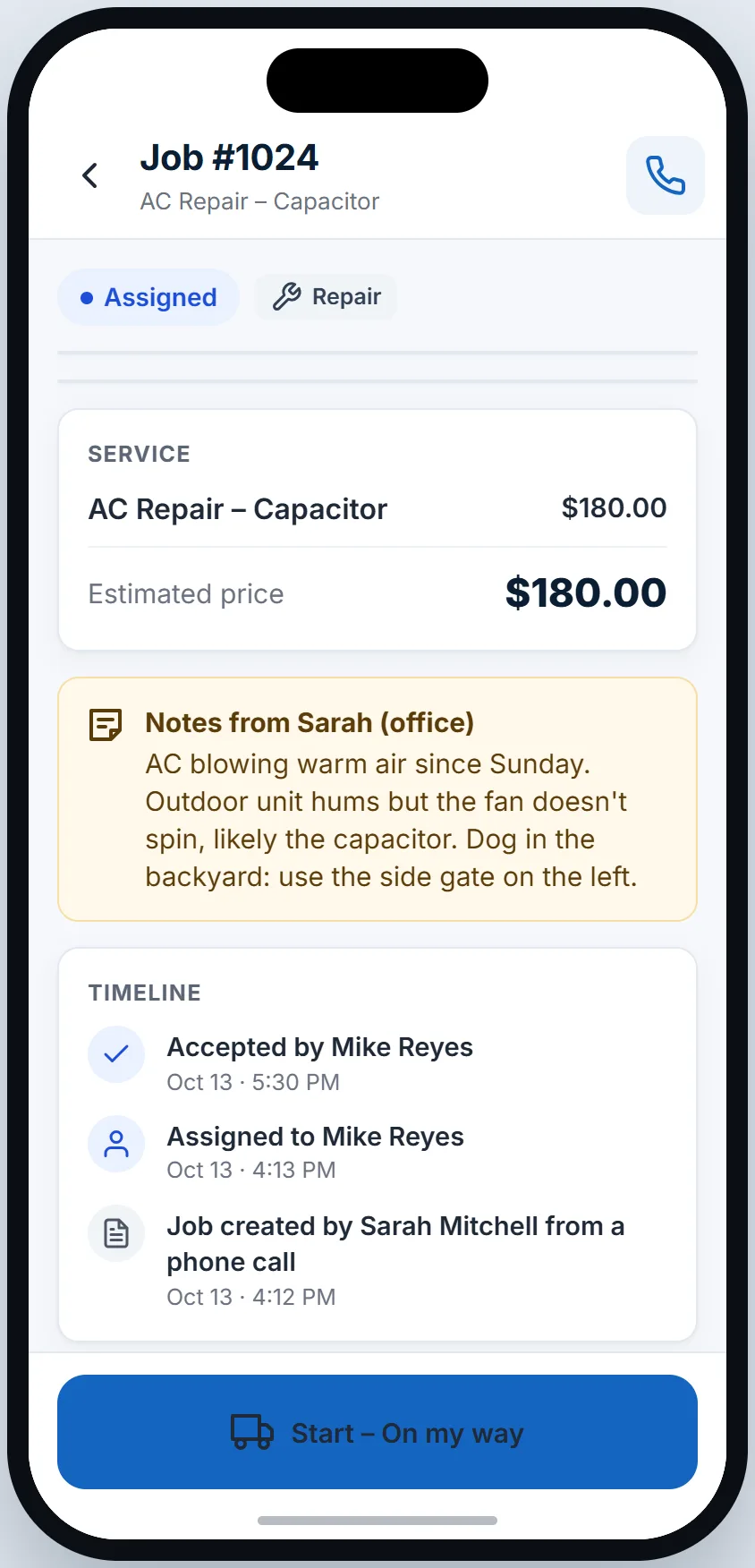
The phone app walks the technician from arriving to getting paid. No forms to remember, and it keeps working in a basement with no signal.
- Today, job details, navigation and a call to the customer
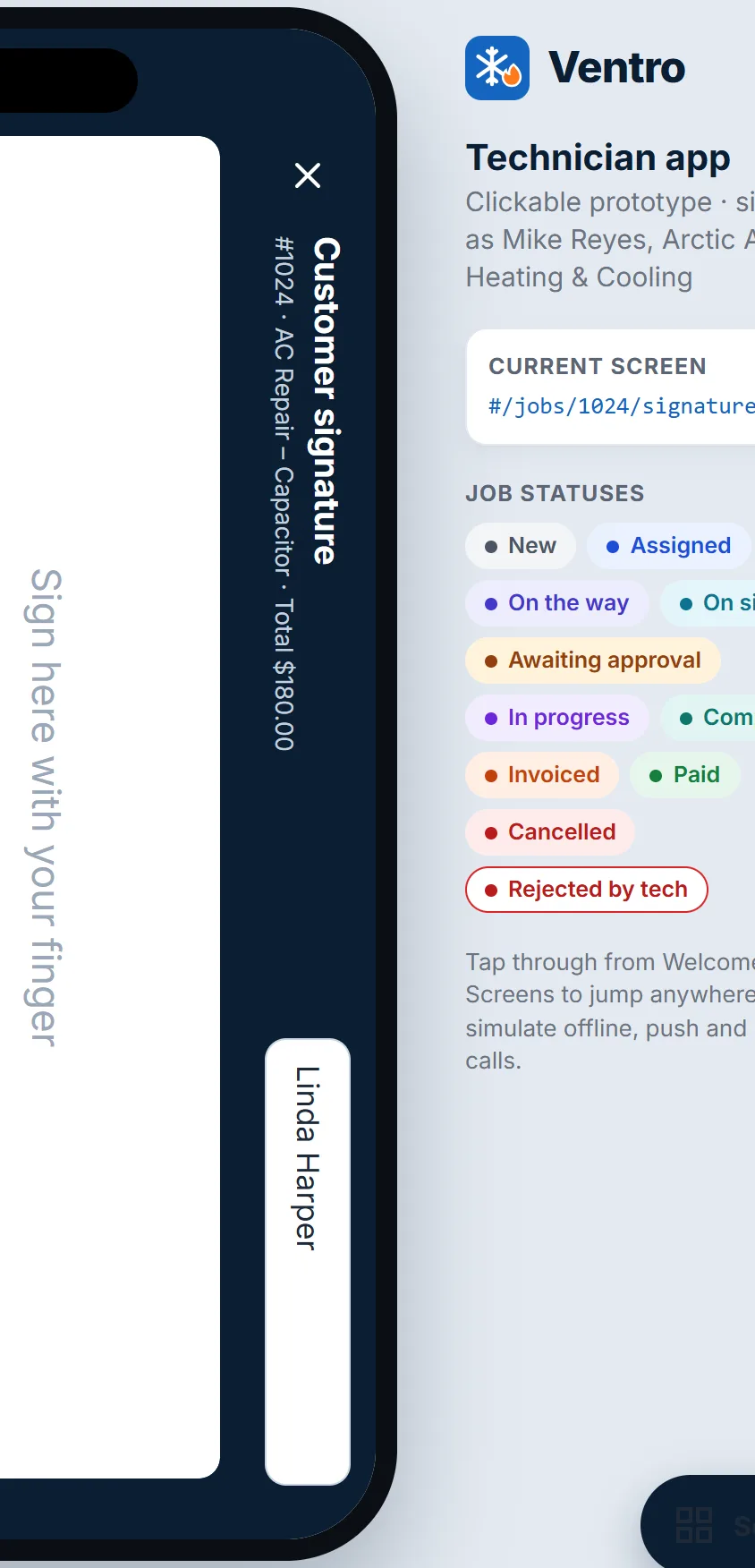
- Before and after photos, parts used, customer signature on the phone
- Offline: actions and photos wait on the phone and sync when the signal is back
- Propose a new price on site; the job waits for your approval
Get paid
From finished job to paid invoice
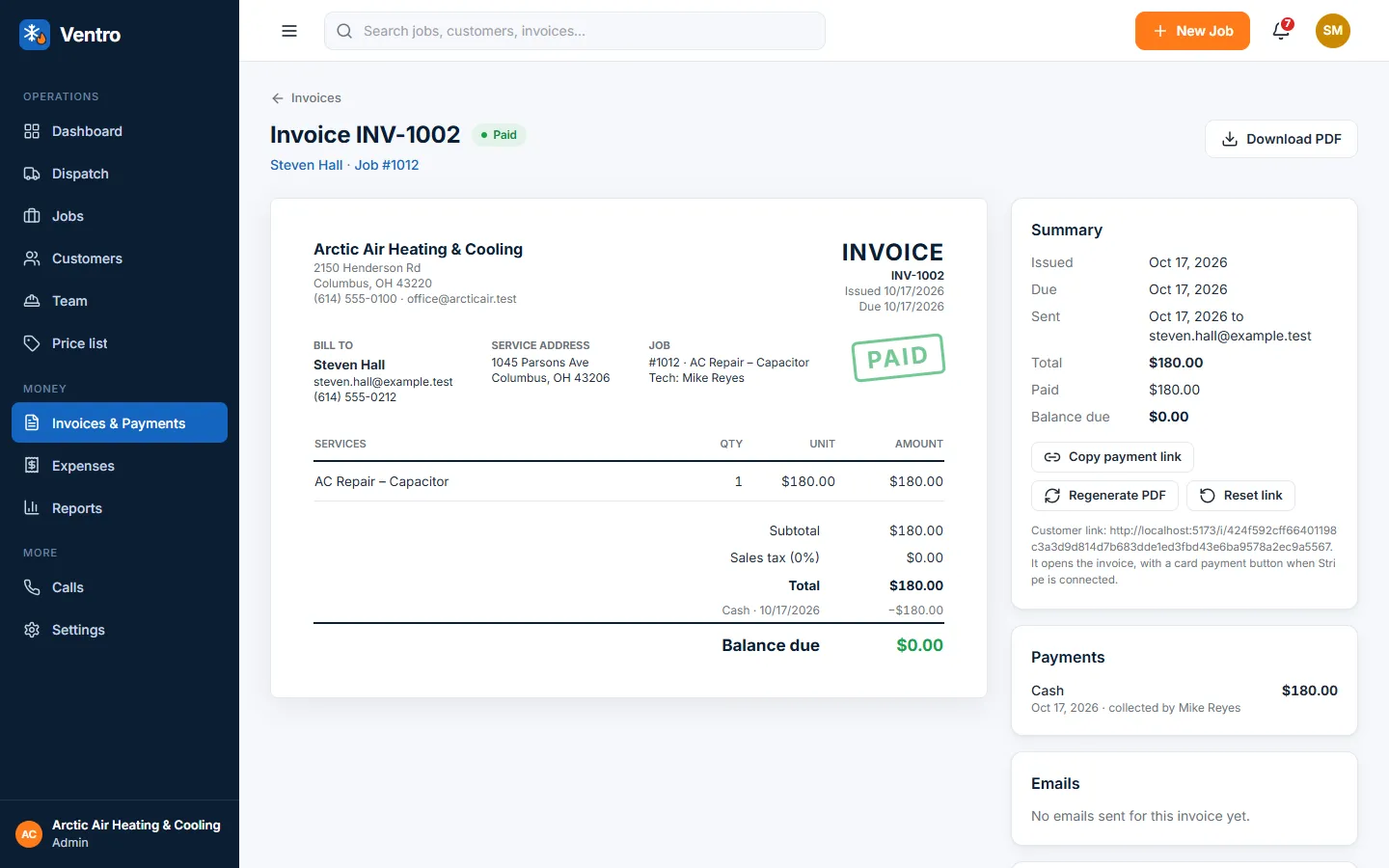
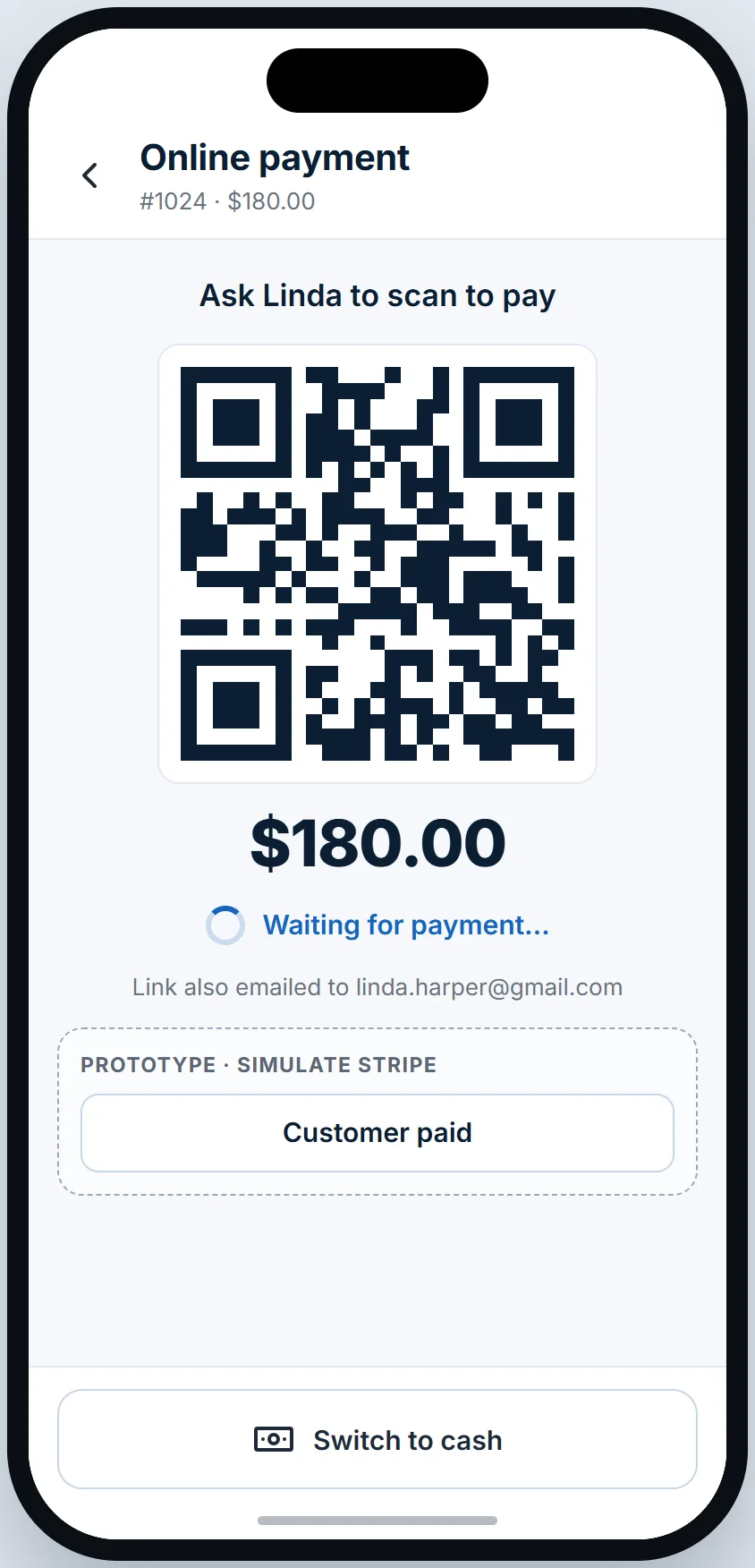
The invoice builds itself from the approved price and the parts. Send it by email or show a QR code; homeowners pay by card, and cash is tracked until you confirm the handover.
- Pay online by card: the money goes straight to your own Stripe account
- Cash stays "held by the technician" until you confirm it
- Sales tax or VAT, your tax number, a PDF in your branding
- Reminders and an overdue list so nothing slips
Know your numbers
Money and people, without a spreadsheet
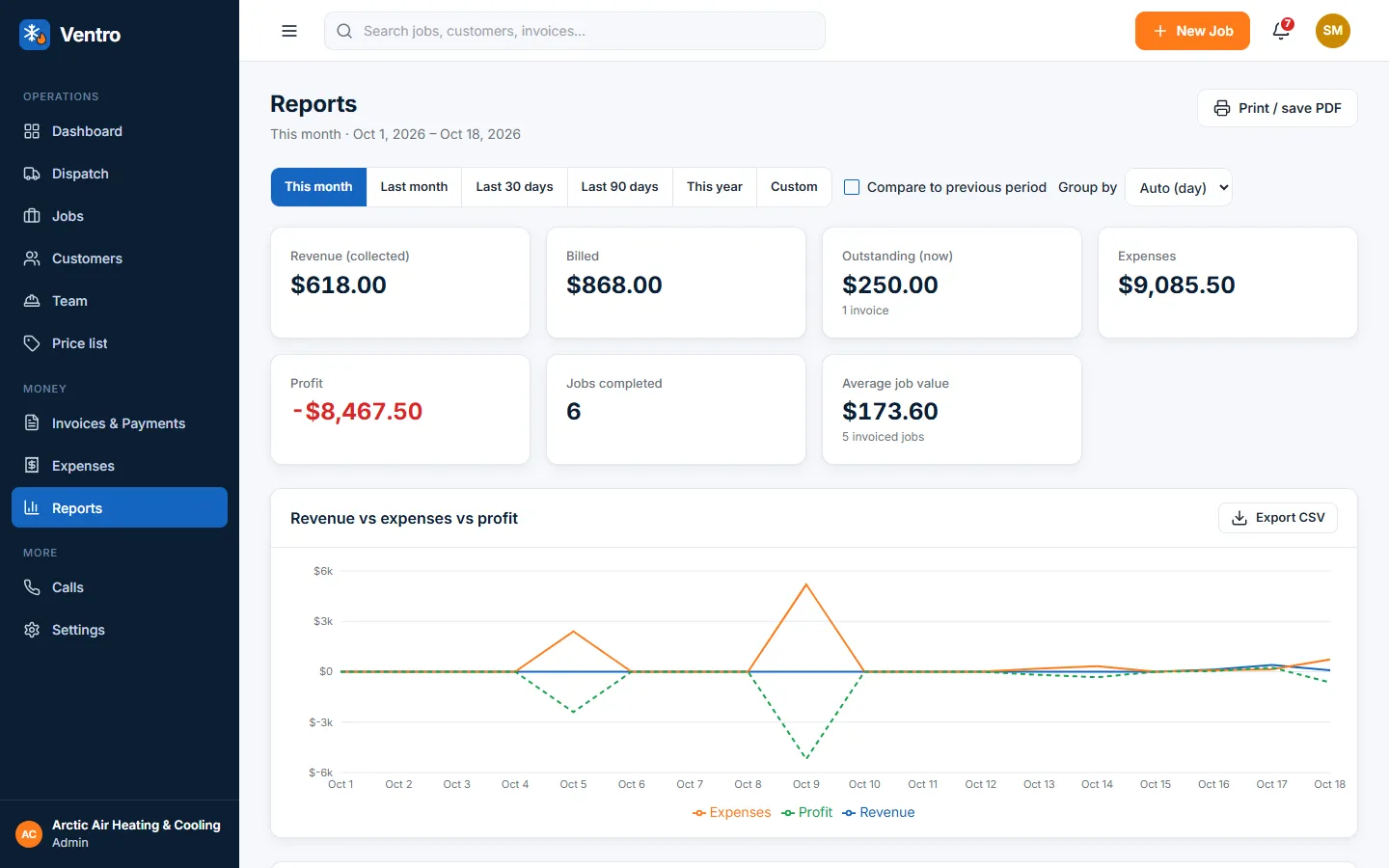
Collected, billed, outstanding, expenses and profit by day, week or month, and by technician. The same numbers on the dashboard and in the reports.
- Revenue collected, billed, outstanding, expenses and profit
- By technician, by service and by job type
- Export to CSV, and a full data export whenever you want it
- Everything in your own timezone
On site
Signature, photos and payment before the van leaves
The homeowner signs on the technician’s phone and can pay right there with a QR code, or by cash. The signature, the photos and the receipt are on the job for good.
And a lot of small things
-
Calls built in
Call a technician or the office from a job. Every call is logged on the job timeline.
-
Price list and approvals
Estimates come from your price list. If the price changes on site, you approve it before work continues.
-
US and UK ready
Sales tax or VAT, dates the way your customers write them, your VAT number on every invoice.
-
Bring your list
Import customers and your price list from a spreadsheet, with a check of every row before anything is saved.
-
Your data stays yours
Export everything any time, erase a customer on request, delete your account when you like.
-
Made for 2 to 15 people
No per-seat charge for the office: you pay a base fee plus the technicians who are active.